When the footage doesn't leave room for the message, sometimes you have to make your own room.
A little too close for comfort.
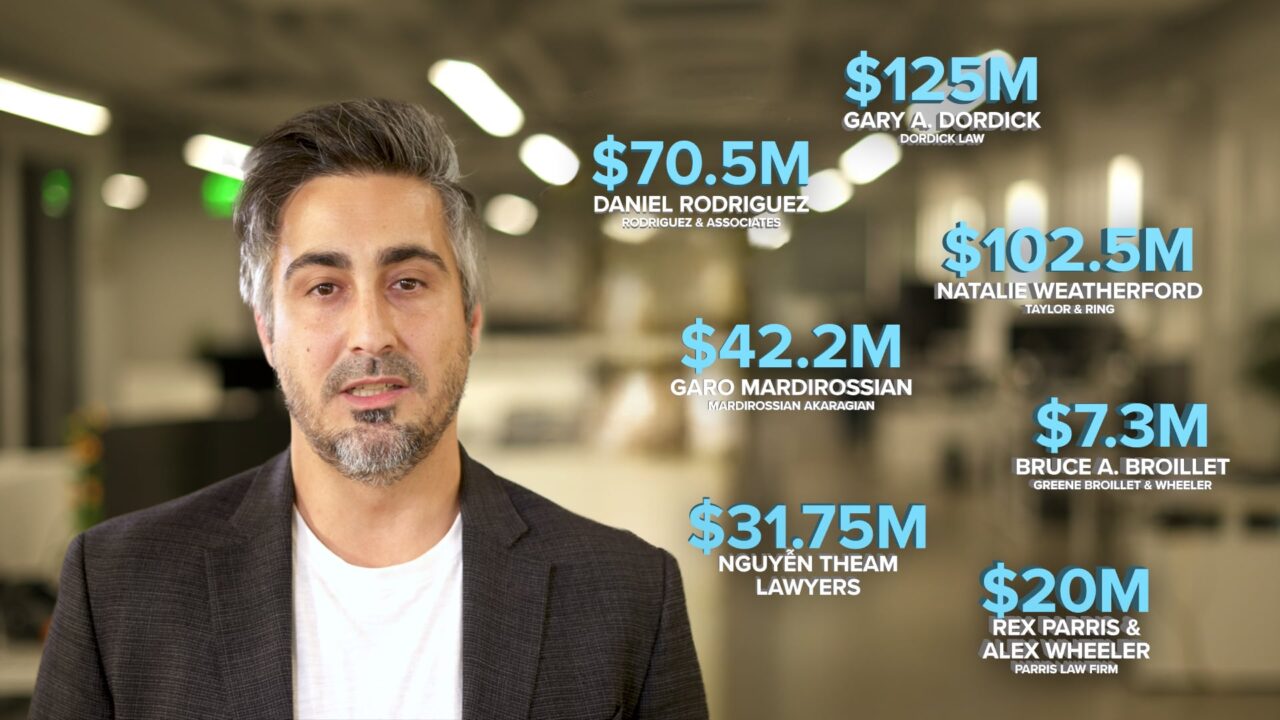
MotionLit was putting together a sales presentation that needed to make an impression. Part of that involved having settlement figures animate around the speaker, giving those numbers some visual weight rather than simply talking through them.
There was just one problem.
The footage had been shot pretty tight. The speaker filled most of the frame, there was hardly any room for graphics, and the top of his hair had already disappeared beyond the edge of the picture.
Not exactly ideal when the plan calls for numbers flying around the screen.
Reshooting wasn't part of the assignment, so I needed to figure out how to make the footage we had work with the presentation we wanted.
Making room where there wasn't any.
The solution was to rebuild the space around the speaker.
I started in Photoshop, using Adobe Firefly's Generative Expand to extend the existing office environment beyond the original frame. Rather than simply stretching the background, I could create additional space that looked like it belonged in the same room.
That gave me the beginnings of a much wider composition.
From there, I separated the speaker from the background and brought everything into After Effects. Using rotoscoping, I isolated him from the original footage and worked through the details needed to make the new composition believable.
Including reconstructing the portions of his hair that had been cropped out of the original shot.
It's the little things.
A better place for everything.
With the extra room available, I repositioned the speaker toward the left side of the frame and flipped the expanded background to reveal an aisle between the office desks on the right.
That gave the settlement figures a natural place to enter and move through the scene, without covering the person delivering the message.
More importantly, the graphics could now do what they were supposed to do: emphasize the numbers instead of competing with the speaker for attention.
The finished shot looked like it had been composed with those graphics in mind from the beginning.
Which, of course, it hadn't.

expand the space
AI-generated office space for wider shot.

clean up edges
Remove old frame's edge and clean up hair.

extract body
Extract the body from the frame to reposition.
The shot we needed. From the footage we had.
What began as a tightly framed talking-head clip became a wider, more flexible composition that accommodated the animated settlement figures while keeping the speaker front and center.
There wasn't any new footage to shoot or an entirely different presentation to build. Just a production problem that needed a different way of looking at the material.
And while AI helped create the missing environment, the real work was figuring out how to use that space, reconstruct the speaker, and make the finished shot feel natural.
Sometimes the footage you're handed isn't quite the footage you need.
That doesn't always mean you're stuck with it.